Affiliate link — I may earn a small commission.
freeFreeApple ecosystemSiri integrationNo setup
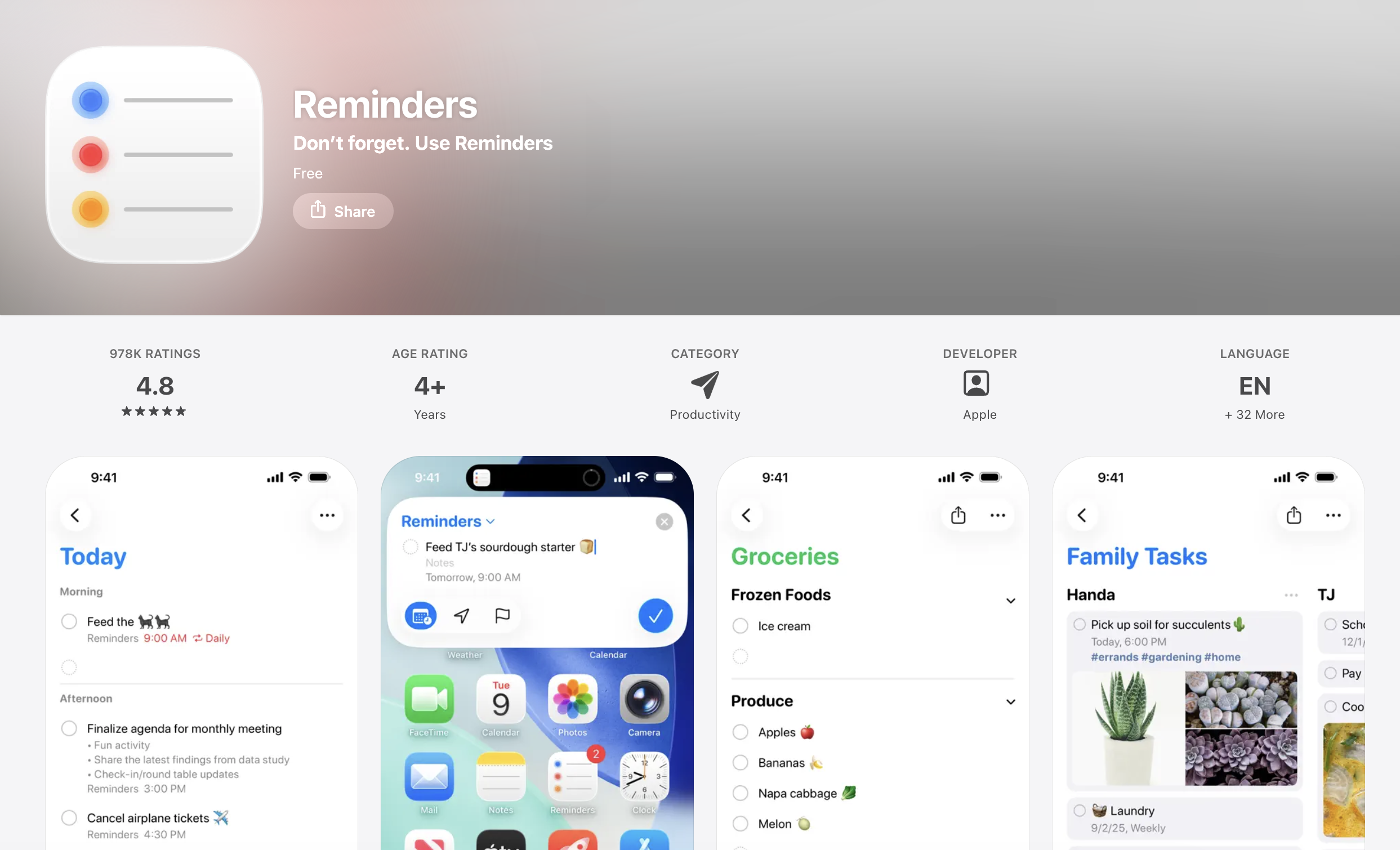
Apple Reminders Review
Task Management · Updated August 2026
If you are already in the Apple ecosystem, one of the best task managers available might already be on your device. Apple Reminders is free, built-in, and more capable than most people realize. It has grown well beyond a basic checklist app and now covers a solid range of features for personal task management.
What It Does Well
Reminders is deeply integrated with iOS and macOS in ways that third-party apps cannot match. Siri support is seamless, date and time recognition works intelligently as you type, and widgets let you check off tasks directly from your home screen or lock screen without opening the app.
The lists system is flexible enough for most people. You can organize by topic, assign colors and emojis, pin your most-used lists to the top, and switch between a traditional list view and a column view that works similarly to a kanban board. Smart lists add a filtering layer on top, letting you create views like "everything due this week" that pull from all your lists at once.
Tags are another underrated feature. Rather than organizing only by list, you can tag tasks by context or activity type and then filter across your entire task library by tag.
Location-based reminders are genuinely useful and something few dedicated task apps offer at this level. You can tie a reminder to a specific address and have it trigger when you arrive or leave, without needing to set a time at all.
Other Notable Features
- Subtasks for breaking down larger tasks
- Collaboration via shared lists with other Apple users
- Grocery list mode that auto-categorizes items as you add them
- Templates for recurring checklists you reuse regularly
- Share sheet integration so you can send links or images from Safari or Photos directly into a list
Who It Is For
Apple Reminders is a strong choice if you live in the Apple ecosystem and want a capable task manager without paying for one. It handles personal task management, shared household lists, and light project organization well.
It is not the right fit if you need cross-platform support, advanced project views like timelines or dependencies, or team-level collaboration. But if you are on Apple devices and not already using another task app, it is worth exploring before paying for something else.